 Grange OS
Free trial
Installing Grange OS
Download Grange OS from the free trial or your Gumroad library after you buy.
On your Windows PC
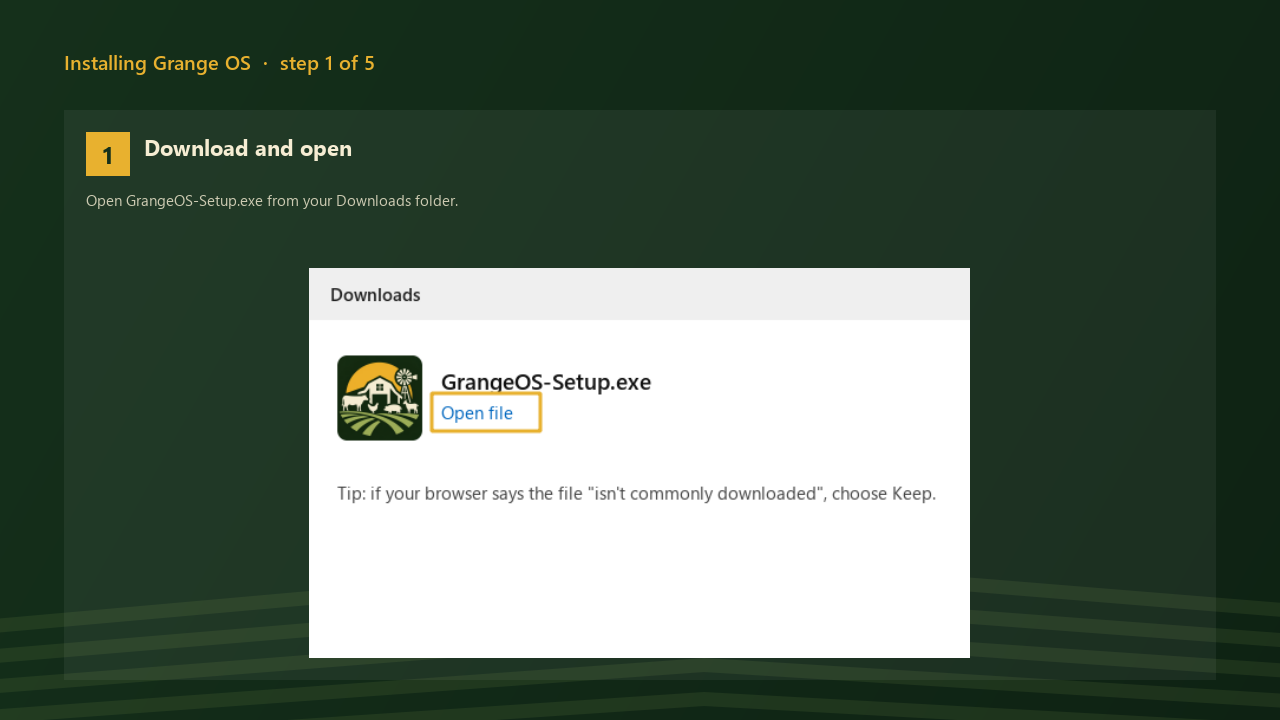
- Open GrangeOS-Setup-1.2.0.exe from your Downloads folder.
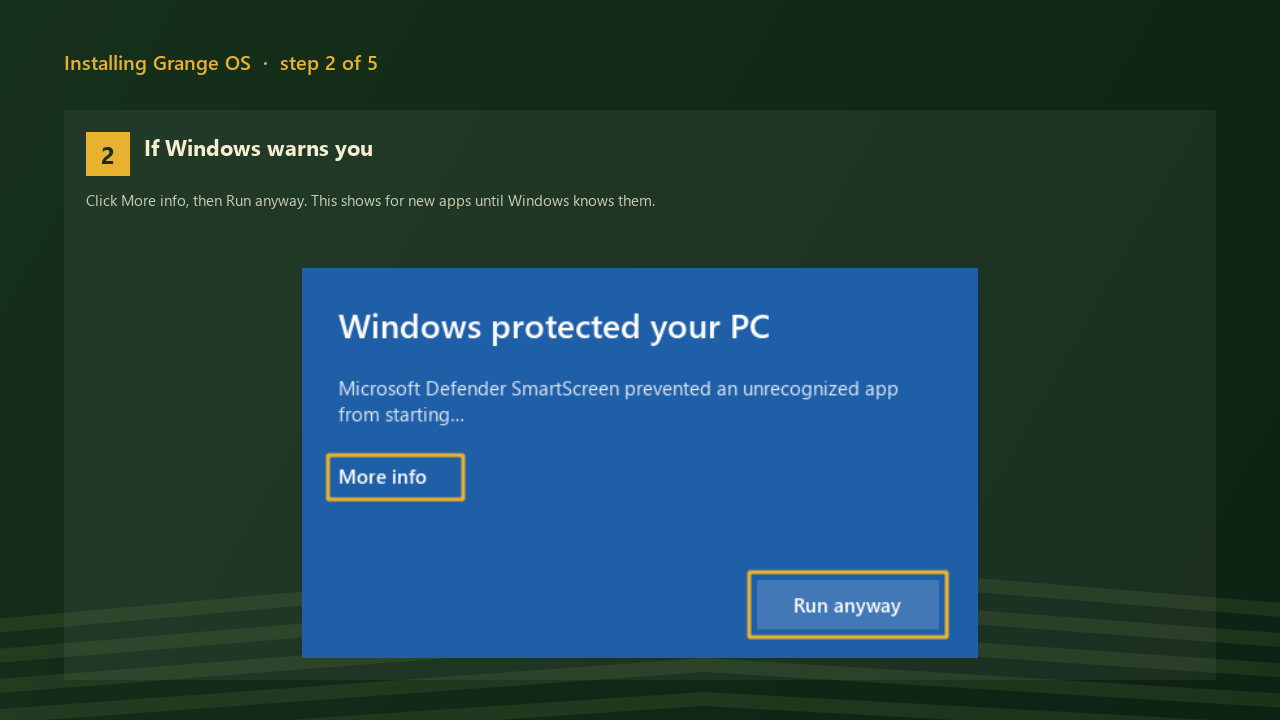
- If Windows shows Windows protected your PC, click More info, then Run anyway. Windows shows this for new apps it doesn't know yet.
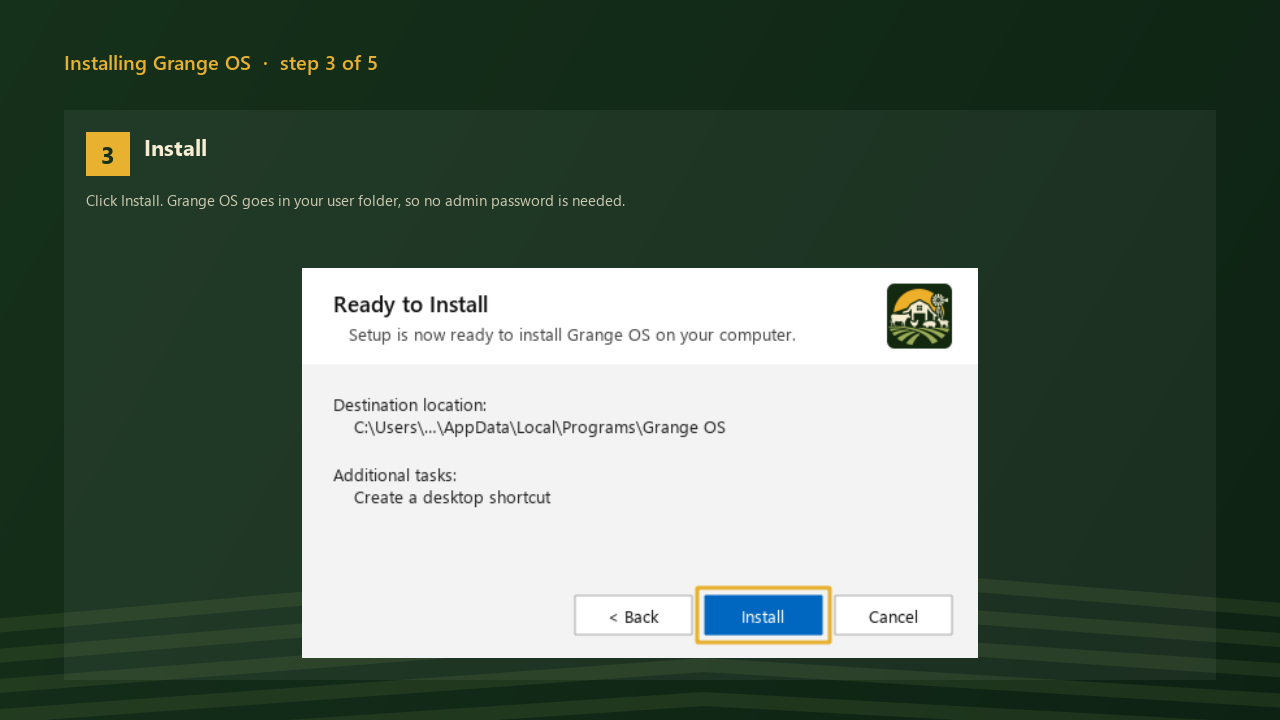
- Click Install. No administrator password is needed.
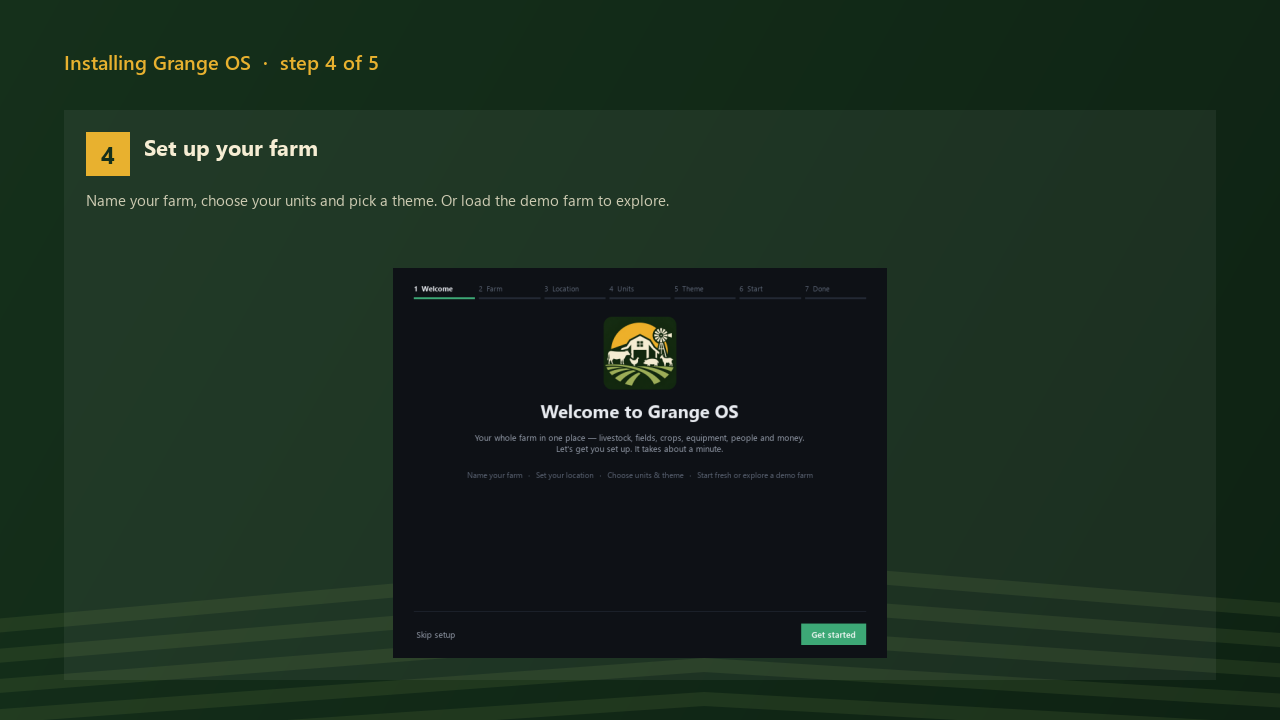
- Set up your farm in the short wizard, or load the demo farm to explore.
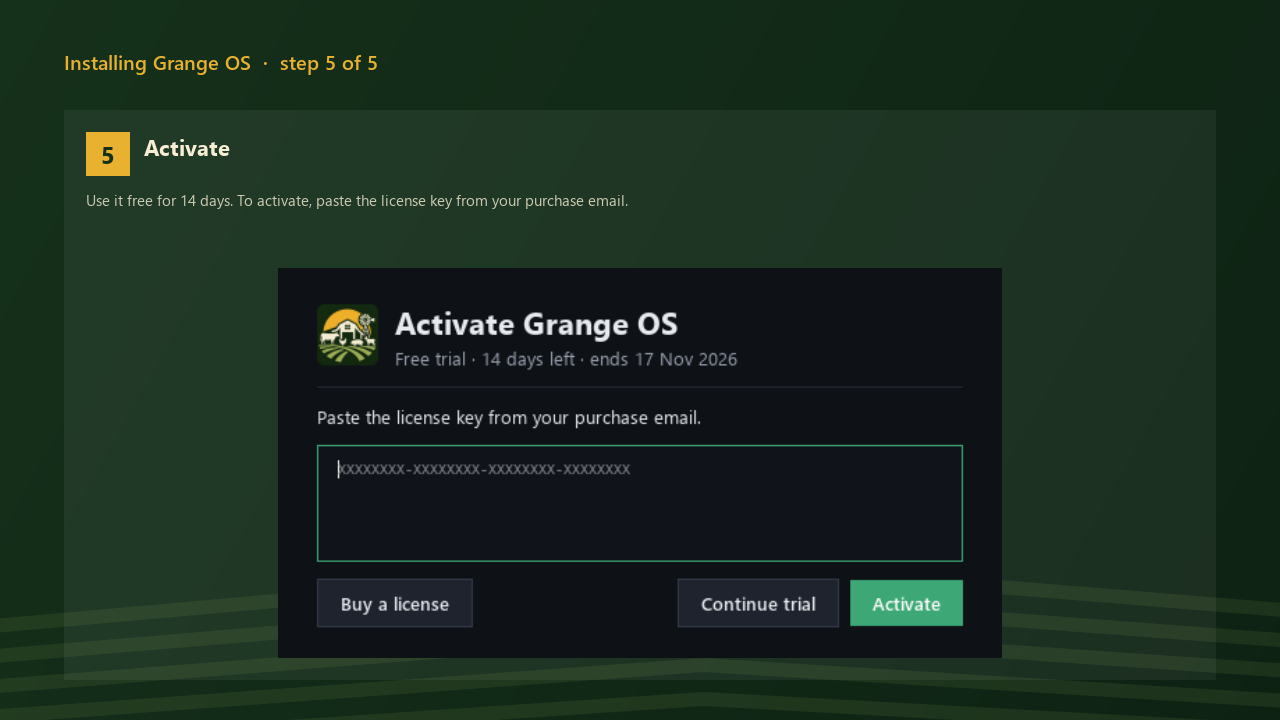
- To activate, open Settings → License and paste the key from your purchase email.
On your Android phone
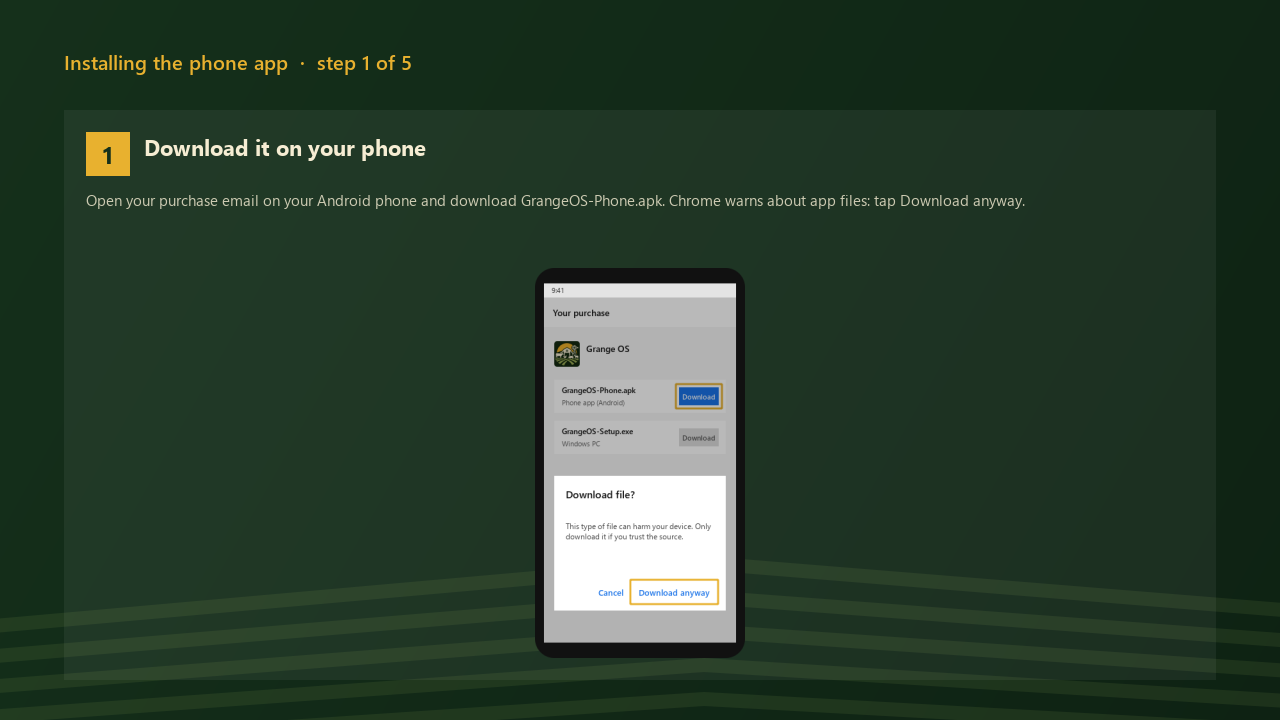
- On the phone, open your purchase email and download GrangeOS-Phone.apk. If Chrome warns about the file type, tap Download anyway.
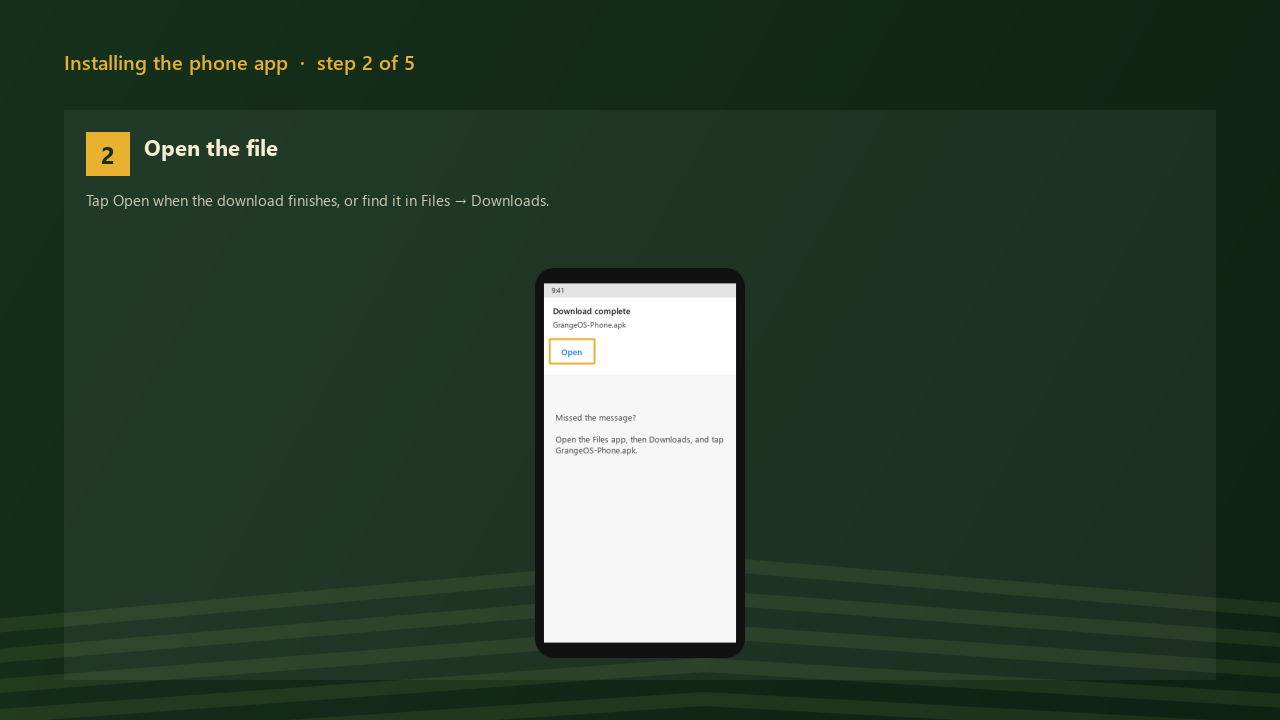
- Tap Open, or find the file in Files → Downloads.
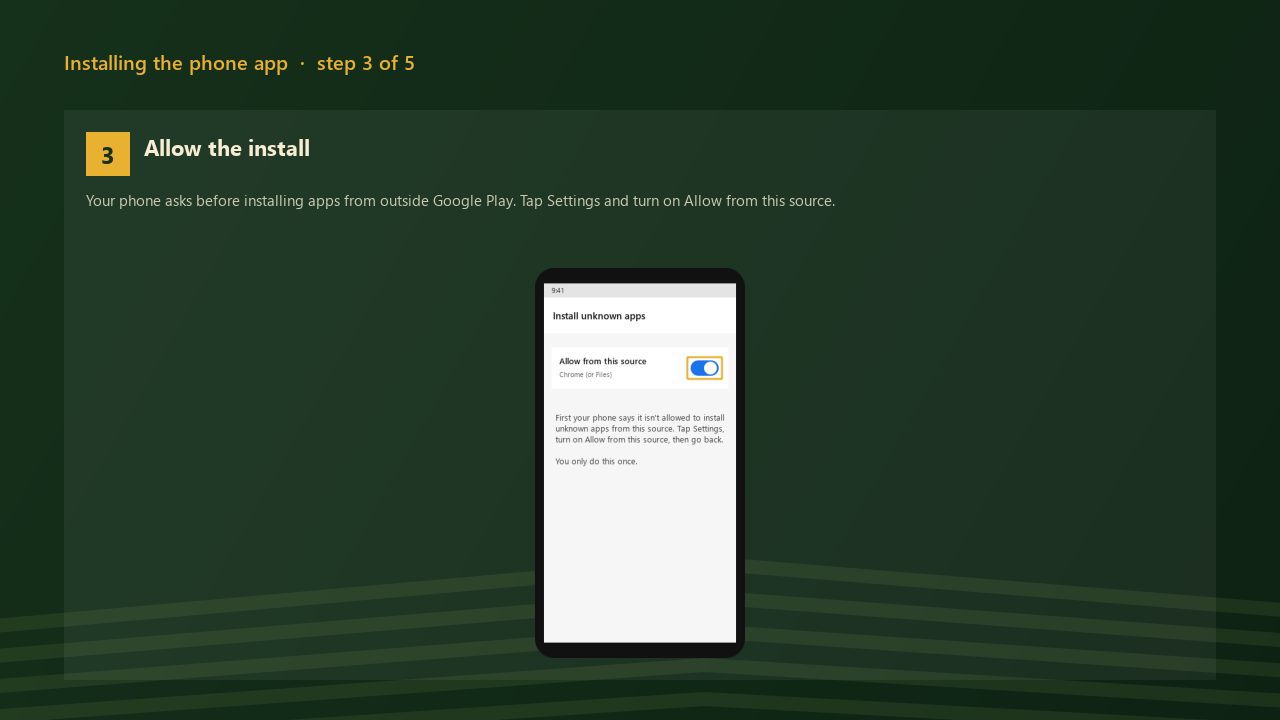
- If the phone says it can't install unknown apps from this source, tap Settings and turn on Allow from this source.
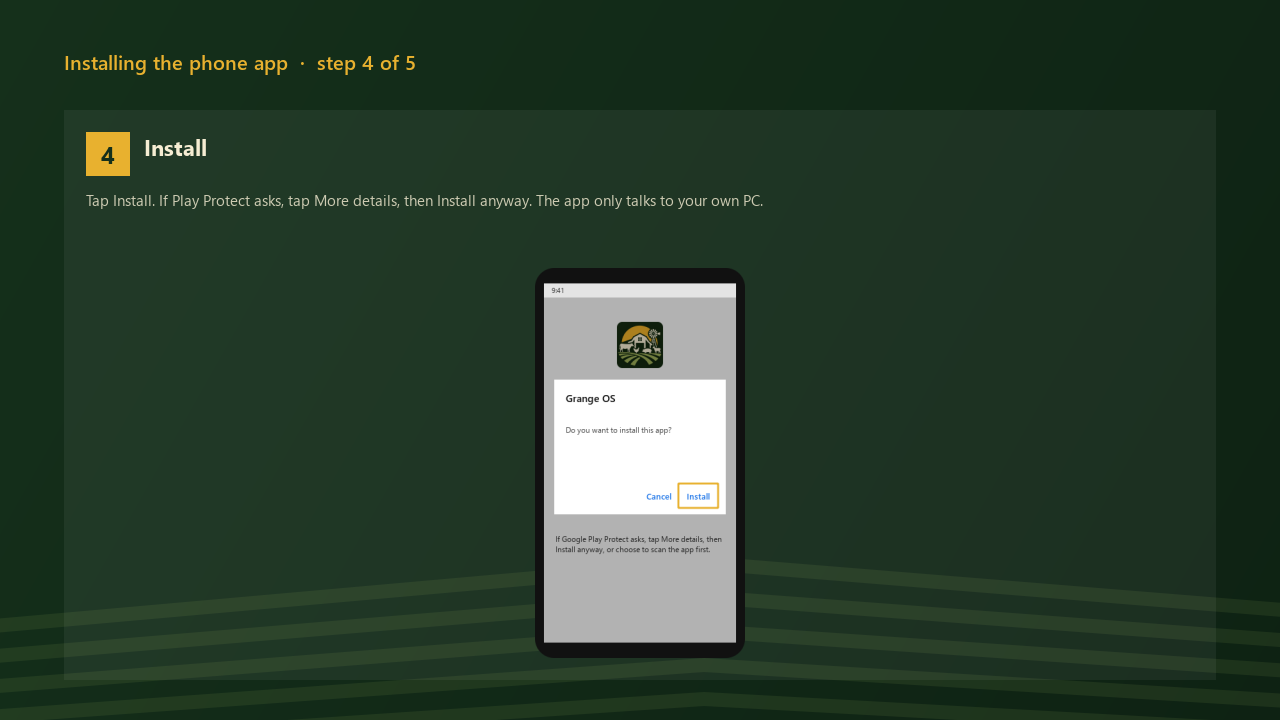
- Tap Install. If Play Protect asks, tap More details, then Install anyway.
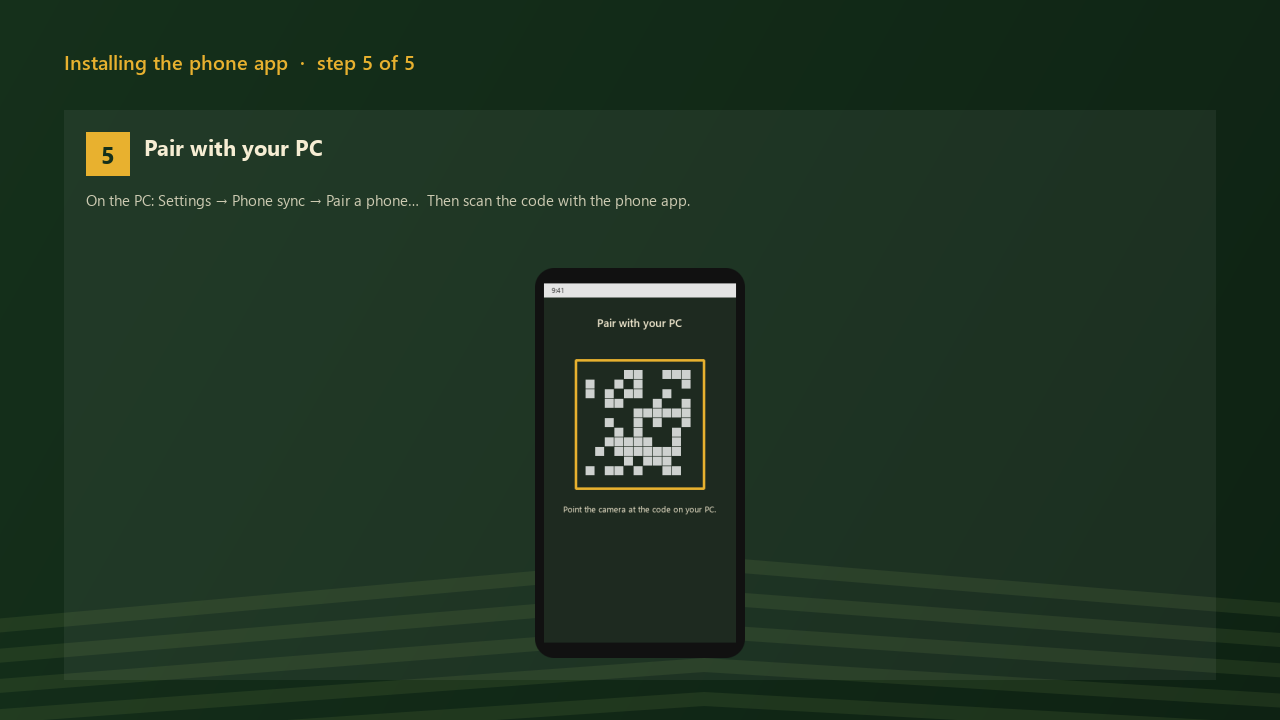
- On the PC, open Settings → Phone sync, tick Let paired phones sync, click Pair a phone… and scan the code with the app.